App Setup & Registration
To integrate with the GetTru Public Developer API, you must first register an application. An application defines the permissions (scopes) and webhook settings that your custom integration (like n8n, Zapier, or private microservices) will use.
You can register and manage apps either through the Admin Console (UI) or programmatically using the Admin APIs.
1. Registering via the Admin Console (UI)
Follow these steps in the GetTru Admin Panel to create a new application:
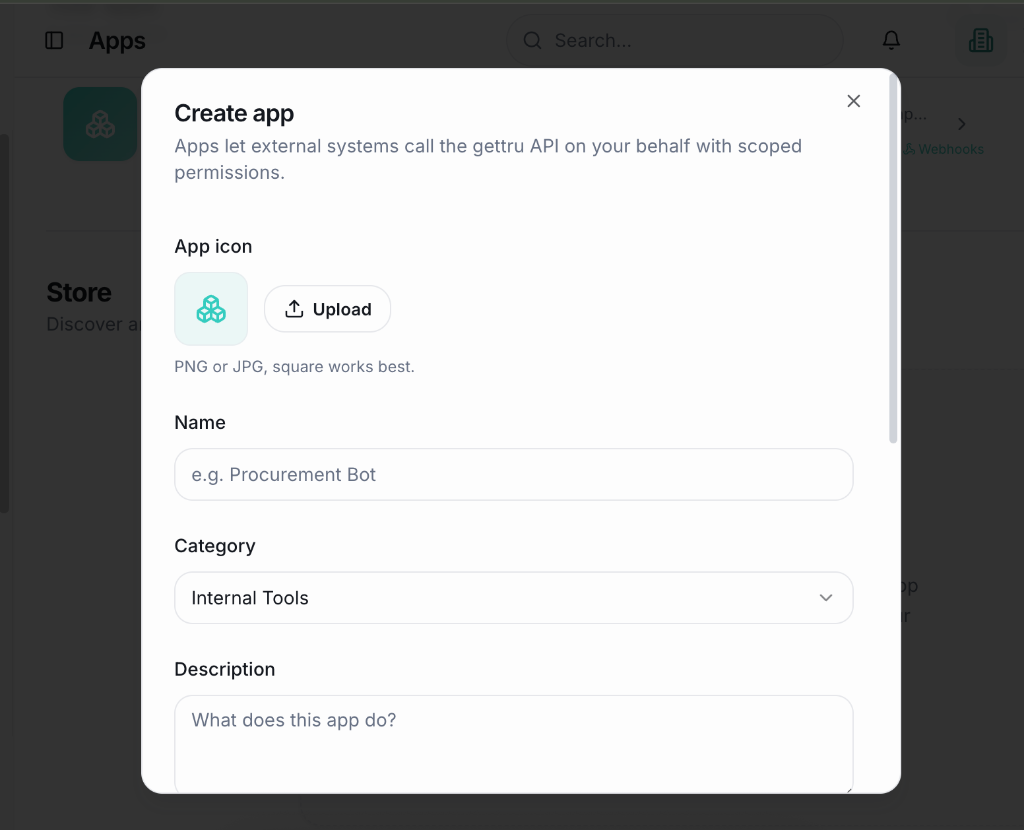
Step 1: Provide App Details
Click the Create app button in the Apps section. Fill in the general settings:
- App Icon: Upload a square image (PNG or JPG) that represents your application.
- Name: Give your app a recognizable name (e.g.,
Internal HR Toolorn8n Connector). - Category: Select the category that best matches your app (e.g.,
Internal Tools). - Description: Briefly explain the purpose of this application.
Step 2: Configure Scopes & Permissions
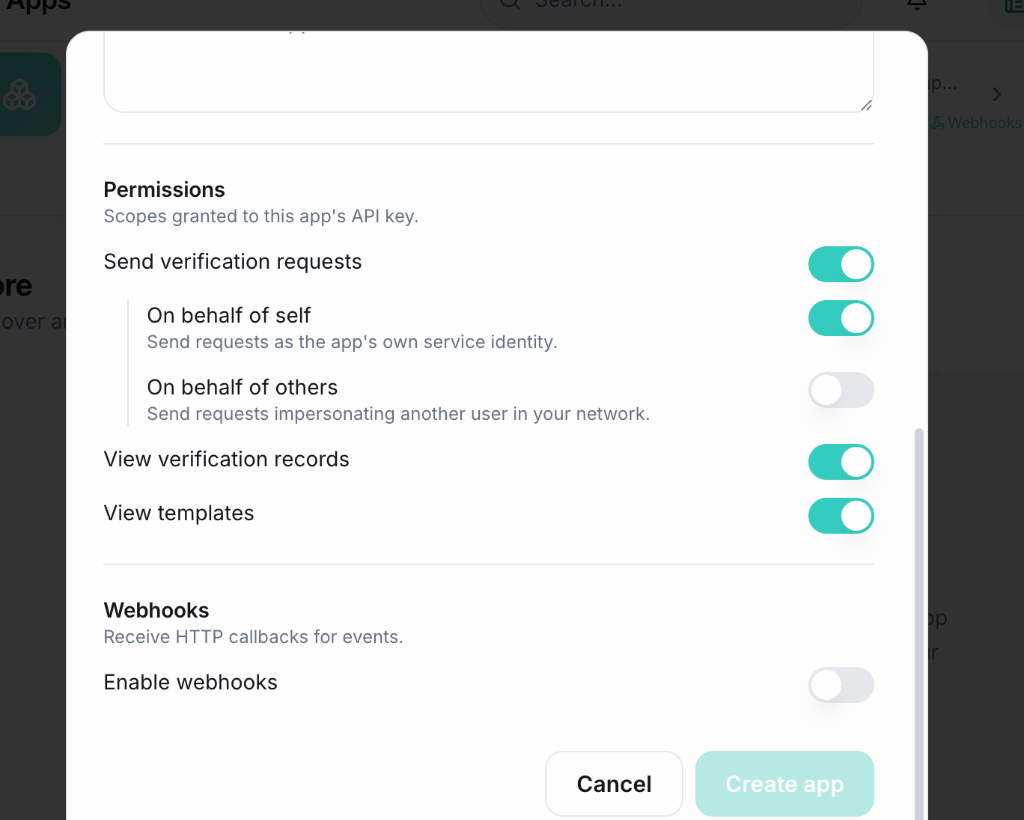
Define what actions this application is allowed to perform on behalf of your organization:
- Send verification requests:
- On behalf of self: Send requests as the app's own service identity.
- On behalf of others: Send requests impersonating another user in your network.
- View verification records: Read historical logs and details of verifications.
- View templates: Fetch available verification template schemas.
Step 3: Configure Webhooks (Optional)
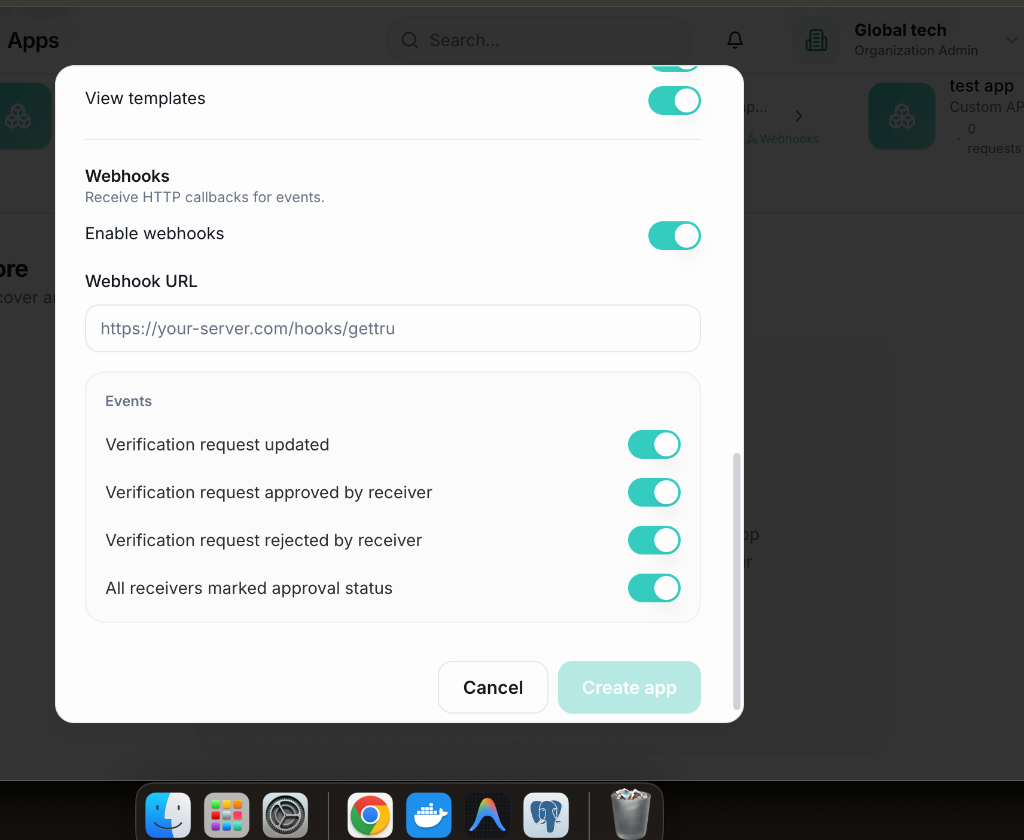
If your application needs to receive real-time notifications when a user's verification status changes, toggle Enable webhooks:
- Webhook URL: Enter the absolute URL of the HTTP endpoint on your server that will receive the events.
- Events: Subscribe to the specific events you want to listen to:
- Verification request updated
- Verification request approved by receiver
- Verification request rejected by receiver
- All receivers marked approval status
Step 4: Save & Retrieve Credentials
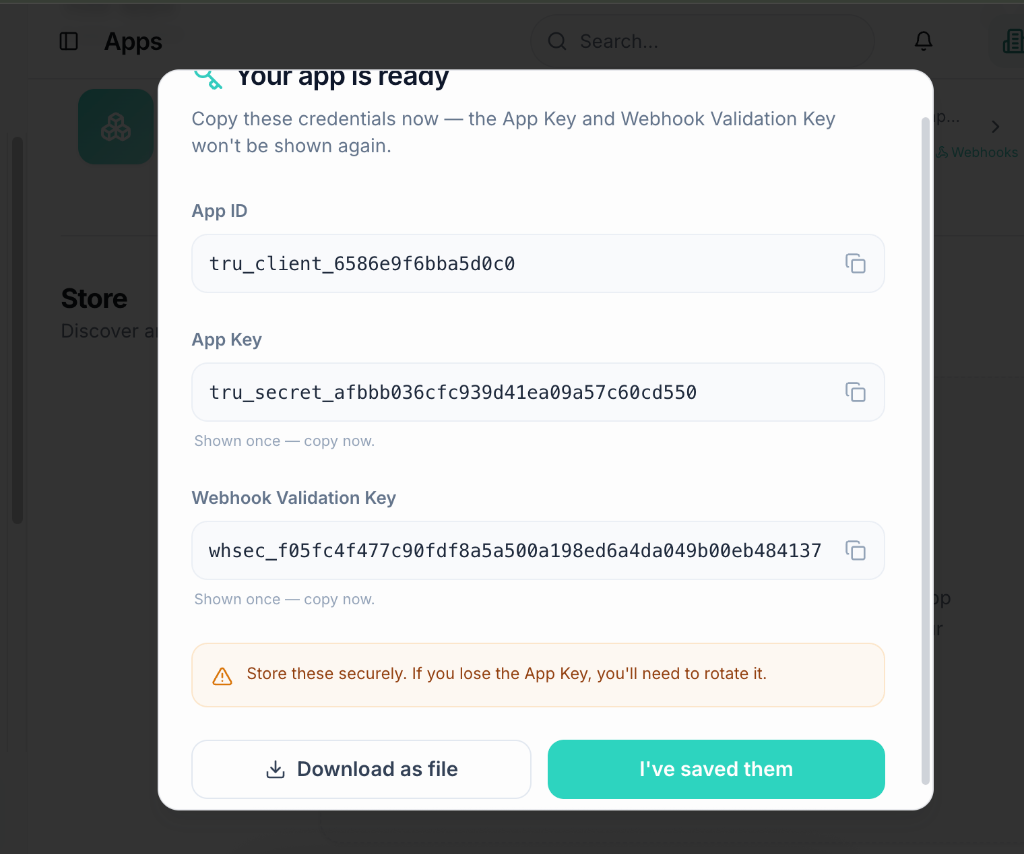
Click Create app. Your app is now registered, and GetTru will generate its secure credentials.
:::danger Important The App Key and Webhook Validation Key are only shown once. Copy them immediately and store them securely (e.g., in a password manager or environment variables). If you lose them, you will need to rotate the credentials. :::
- App ID (
clientId): The public identifier for your app. - App Key (
clientSecret): The secret key used to authenticate and retrieve access tokens. - Webhook Validation Key (
webhookSecret): The secret key used by your server to verify that webhook payloads actually came from GetTru.
2. Registering Programmatically (Admin API)
For advanced automated setups, you can register a custom private app using the Admin API.
:::info Authentication
This endpoint requires a standard User Admin JWT token in the header: Authorization: Bearer <ADMIN_JWT_TOKEN>
:::
Register a Custom Private App
Creates a new custom app and automatically installs it for the organization, returning the initial set of credentials.
Headers
Content-Type: application/json
Authorization: Bearer <ADMIN_JWT_TOKEN>
Request Body
{
"name": "Custom n8n Connector",
"description": "Custom webhook dispatcher for n8n workflows",
"categoryId": 11,
"scopes": ["read:templates", "read:verifications", "write:verifications:self"],
"webhookUrl": "https://n8n.mycompany.com/webhook/trueapp",
"webhookEvents": ["verification.completed", "verification.updated"]
}
Response (201 Created)
{
"success": true,
"data": {
  "id": 7,
  "appId": 22,
  "app": {
    "id": 22,
    "name": "Custom n8n Connector",
    "description": "Custom webhook dispatcher for n8n workflows",
    "categoryId": 11,
    "developer": "Internal",
    "scopes": [],
    "isPublic": false,
    "organizationId": 12
  },
  "organizationId": 12,
  "clientId": "tru_client_fd422b431a8c70a1",
  "webhookUrl": "https://n8n.mycompany.com/webhook/trueapp",
  "webhookSecret": "whsec_81bee075fc1725d43d91225d9446709eaf3b441973728d18",
  "scopes": [
    "read:templates",
    "read:verifications",
    "write:verifications:self"
  ],
  "webhookEvents": [
    "verification.completed",
    "verification.updated"
  ],
  "clientSecret": "tru_secret_3d5545c60002d01eb81f43b49dc840b1"
},
"message": "Resource created successfully"
}